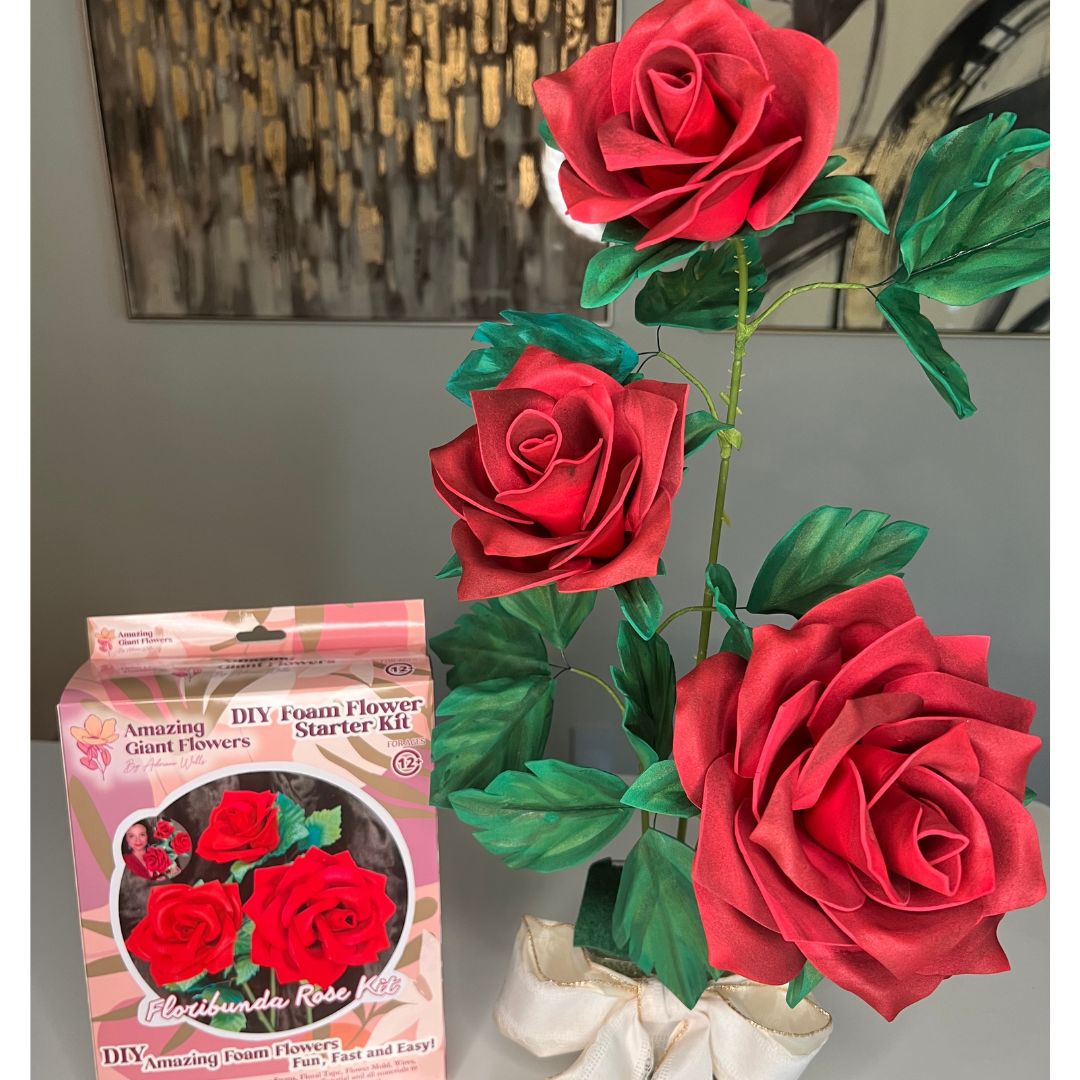
Your Guide to Fun Cricut Projects for Beginners - amazinggiantflowers

Your Guide to Fun Cricut Projects for Beginners

You just unboxed your shiny new Cricut. It's an exciting moment! But opening Design Space to a blank canvas can feel overwhelming. The best way to push past that is to score a quick, satisfying win.

Starting with a simple vinyl decal is a great first step. You can make one in under 30 minutes, and the confidence boost you get is the perfect fuel to keep you creating.

Getting Started Without Getting Overwhelmed

A craft desk with a Cricut machine, laptop, purple bottle, and a "Start Simple" sign.

The journey from opening the box to holding your first finished project should be fun. This guide will walk you through making something you can actually use, right away.

Use Case: In the time it takes to watch an episode of your favorite show, you could have a custom-decorated water bottle, a personalized laptop cover, or a cute decal for your notebook. That’s the magic of starting simple.

Build Your Creative Momentum

Your first project should build momentum with a success you can see and touch. It’s about making something that makes you say, "I made that!" These early projects are perfect for learning the ropes smoothly.

Here are the key benefits of starting with a simple vinyl decal:

  • It’s Simple: A vinyl decal only needs a few materials and teaches you the absolute basics of Design Space without feeling like a chore.
  • It’s Fast: Getting a project done quickly gives you that instant gratification that makes you excited to learn more.
  • It’s Practical: You end up with a genuinely useful item, proving the value of your new machine right away.

For newcomers, a simple vinyl decal is a game-changer. These projects usually take just 15-30 minutes and can cost as little as $2–$5 in materials. It's the perfect way to get your feet wet.

The most important first step is choosing a project that excites you. Personalizing an object you use daily, like a coffee mug, makes the learning process more meaningful and fun.

To help you decide what to tackle first, here's a quick look at some beginner-friendly ideas.

Your First Cricut Projects at a Glance

This listicle gives you a snapshot of a few great starter projects to help you pick one that fits your time, budget, and comfort level.

Project Idea Estimated Time Approximate Cost Difficulty Level (1-5)
Simple Text Decal 15-20 minutes $2-$5 1
Layered Shape Sticker 25-35 minutes $3-$7 2
Basic Iron-On T-Shirt 30-45 minutes $5-$15 2
Simple Cardstock Card 20-30 minutes $2-$6 3

Choosing any of these will give you a solid foundation and a big dose of confidence for whatever you decide to make next.

Your Path to Bigger Projects

Once you’ve mastered a basic vinyl decal, you’ve unlocked the door to so many other amazing crafts. The skills you pick up—navigating the software, handling materials, and applying your design—are the same ones you'll use for almost everything else.

Building this foundation makes it easier to branch out. Before you know it, you'll feel ready to take on paper crafts, layered cardstock designs, and even materials like EVA foam.

Use Case: For those dreaming of making bigger things, like gorgeous DIY flowers, these fundamental skills are your first step. When you're ready to level up your craft, you can find all the essential flower-making supplies you'll need. Starting small is the secret to going big.

Creating Your First Custom Vinyl Decal

Hands creating a decal with a crafting knife on pink material taped to a spiral notebook.

Ready to make something you can stick on your stuff? A custom vinyl decal is the perfect first project. It teaches you two skills you’ll use again and again: weeding vinyl and applying it with transfer tape. This is your personal workshop session to go straight to creating a decal you’ll be proud of.

Your Essential Decal-Making Toolkit

Having everything you need within reach makes the process more fun. Here’s a listicle of what you'll need:

  • Permanent Adhesive Vinyl: Pick a color that makes you happy! It's perfect for personalizing things that get a lot of use, like water bottles or phone cases.
  • Transfer Tape: This is key for getting your design from the vinyl sheet to your object. A StandardGrip roll is your best bet to start.
  • A Weeding Tool: This little hook will become your favorite tool for plucking out all the tiny, unwanted bits of vinyl.
  • A Scraper Tool: You’ll use this to press the vinyl onto the transfer tape and then again to make sure it sticks firmly to your final item.
  • Your Blank Object: Grab a clean mug, a smooth-surfaced notebook, or a tumbler. Something simple is perfect for your first try.

With your supplies gathered, it's time to fire up Cricut Design Space.

Step-by-Step: From Digital Design to Physical Cut

Here are the clear steps to create your decal:

  1. Design in Software: Open Design Space. Keep it simple—type a single word, choose a bold font you love, and resize it to fit your object. This is your low-pressure chance to get comfortable.
  2. Cut with Cricut: Once you’re happy with the design, stick your vinyl sheet onto the cutting mat, load it into your Cricut, and choose the "Premium Vinyl" setting. The machine will do all the precision cutting for you. When it finishes, just unload the mat.
  3. Weed Your Design: "Weeding" is removing the extra vinyl. Grab your weeding tool, hook a corner of the excess vinyl, and gently peel it away. Pay attention to the little pieces inside letters like 'p' or 'o'.
  4. Apply Transfer Tape: Cut a piece of transfer tape slightly larger than your decal. Peel off its backing and lay it sticky-side-down over your weeded design. Use your scraper tool to firmly rub all over the top of the tape—this is called "burnishing."
  5. Transfer Your Decal: Slowly peel the transfer tape back; your vinyl decal should lift with it. Carefully position the decal on your clean object, use the scraper one more time to press it down, and finally, peel the transfer tape away at a sharp angle. You've made your first custom decal!

A great way to build confidence is to start with a simple, blocky font or a basic shape. You'll get a clean result and feel ready for more intricate cuts later.

These exact skills are the foundation for so many other projects. For personalizing t-shirts or tote bags, the next step is to understand what Heat Transfer Vinyl (HTV) is. And as you build your craft corner, you can check out all the other essentials at https://www.amazinggiantflowers.com/collections/supplies to keep your creativity flowing.

Expanding Your Skills With Paper and Cardstock

Once you’ve got the hang of vinyl decals, you’re ready for paper and cardstock. This is where one of the most exciting Cricut features for beginners comes into play: Print Then Cut. It's the secret behind custom stickers, intricate gift tags, and beautiful layered cards.

The concept is powerful: you create a full-color design, print it on your home printer, and then your Cricut cuts perfectly around every edge.

The Benefit of Calibrating for Print Then Cut

Taking just five minutes to calibrate your Cricut before your first paper project will save you from wasted sticker paper and frustration. Calibration ensures your cuts line up perfectly with your printed image.

Here's how it works:

  • Design Space walks you through a step-by-step process.
  • Your Cricut prints a special test sheet.
  • Its sensor scans the markings, and you help it confirm where the cut lines are.
  • This teaches the machine exactly where the blade needs to go for perfect results.

Trust me on this: don't skip calibration. It’s the difference between a sheet of flawless, professional-looking stickers and a pile of frustrating miscuts. Think of it like tuning a guitar before a show—it’s a small step that ensures everything works together perfectly.

Listicles: What Can You Make With Paper and Cardstock?

Once your machine is calibrated, you can start making all sorts of incredible things. Here are a few use cases:

  • Personalized Sticker Sheets: Stop searching for the perfect sticker and just make your own! Design and cut entire sheets for your planner, your kids' school gear, or unique seals for party invitations.
  • Layered Greeting Cards: This is where you can create something special. By cutting different elements from various colors of cardstock and layering them, you can build cards with amazing depth and a truly handcrafted feel.
  • Custom Gift Tags: Make your gifts stand out. With Print Then Cut, you can add festive designs to any tag shape and have your Cricut cut it out, complete with a perfectly placed hole for the ribbon.

Using good, sturdy cardstock or high-quality photo paper will make your colors pop and give you much crisper images. It's that little bit of extra polish that takes a project from "homemade" to "handmade."

These paper skills also serve as a great foundation for more complex crafts. Once you’re comfortable with shaping paper, you can explore tutorials on how to make crepe paper flowers to build stunning, life-like bouquets.

Creating Stunning Giant Flowers with EVA Foam

Ready to create something truly show-stopping? Let's talk about cutting EVA foam with your Cricut. This is where you can make incredible, oversized flowers that can transform a room. Your Cricut does all the heavy lifting, saving you from cutting every petal by hand.

The primary benefit here is the time you save and the flawless consistency you get. Your Cricut will churn out perfectly uniform petals every single time. This opens up a world of ambitious projects.

If you're curious about different materials, we have a fantastic guide that covers all the types of foam perfect for flower making.

Gearing Up for Foam Projects

Using the right gear from the start saves you headaches and prevents wasted material. Here’s a listicle of your essential toolkit for foam:

  • The Deep-Point Blade: This blade has a steeper 60-degree angle and is made from harder steel. It’s built to slice through thicker materials like foam cleanly.
  • A StrongGrip Mat: The purple StrongGrip mat has a powerful adhesive that’s crucial for holding the foam firmly in place during cutting.
  • Quality EVA Foam: Foam sheets between 2mm to 3mm thick are the sweet spot for most Cricut machines. They're sturdy enough to hold their shape but not so thick that the machine struggles.

This simple diagram shows the basic workflow for a lot of Cricut projects. Once your design is loaded, the process is pretty much the same for foam.

A three-step Cricut paper craft process diagram illustrating print, calibrate, and cut stages with icons.

The "print, calibrate, cut" flow highlights how your Cricut automates the precision work, letting you focus on the creative assembly.

Bringing Your Giant Flowers to Life: Steps to Success

With your tools and materials ready, it’s time for the fun part. For your first few projects, using a pre-made template (SVG file) is a great time-saver.

Use Case for Event Planners & DIYers: Imagine cutting all the petals for oversized roses for a wedding backdrop. Some studies show 65% of DIY crafters report faster assembly times just by using a Cricut. Cutting a set of complex leaf patterns can take less than 10 minutes—a task that could easily eat up an hour by hand. This efficiency has been shown to boost production for large projects by as much as 200%.

The real game-changer is consistency. When you're making a flower with 20 or more petals, having each one perfectly identical is what gives your final creation a professional, high-end look. Your Cricut ensures this every single time.

This newfound efficiency empowers you to take on truly large-scale art. You can create a breathtaking photo backdrop for a party, a vibrant window display, or a one-of-a-kind statement piece for your home.

Navigating Common Cricut Challenges

Every new Cricut owner hits a snag now and then. Your fun crafting session can quickly feel frustrating when the machine acts up. Think of this as your cheat sheet for getting past those initial roadblocks.

Why Is My Material Ripping or Not Cutting?

This is a common issue. Nine times out of ten, the problem is a mismatch between your blade, mat, and material settings. Here’s a bullet point checklist to run through:

  • Is your material tearing? This usually means your mat is too sticky. A new StrongGrip mat is great for thick materials but will destroy delicate paper. For paper and vinyl, always use the blue LightGrip mat.
  • Is the cut not deep enough? This could be a dull blade or not enough pressure. First, check the blade tip for tiny flecks of vinyl. If it's clean, try the cut again with "More" pressure in the cut screen settings. If that fails, it's time for a fresh blade.
  • Are the edges jagged? A dirty blade is often the cause. A great trick is to stab the blade into a tightly balled-up piece of aluminum foil about 20-30 times. This cleans off any debris.

I tell every beginner this: before you hit "Go," ask yourself, "Is my mat's stickiness right for my material?" That one question can prevent over 90% of tearing issues. It’s a game-changer.

Solving Vinyl and Mat Issues

Sometimes just getting the machine ready can be a puzzle. Luckily, the fixes are surprisingly easy. Here are some common use cases and their solutions:

  • Problem: My vinyl won't stick to the transfer tape!
    • Solution: This is all about "burnishing." Rub the scraper tool firmly over the transfer tape. If it’s stubborn, flip it over and burnish from the back too. Then, instead of pulling the tape up, peel the paper backing away from the vinyl at a sharp angle.
  • Problem: My mat won't load correctly.
    • Solution: First, check that the mat is perfectly aligned, touching the two guide rollers on the left and right. A badly warped mat can also confuse the sensors, so try to store them flat.

When you move on to advanced materials like EVA foam, a perfect cut is crucial. For a deeper dive, check out this guide on the best way to cut foam to sidestep those specific challenges. Mastering these simple troubleshooting steps will boost your confidence.

Your Top Cricut Questions, Answered

If you’re just unboxing your Cricut, you’ve probably got a million questions. Let's walk through some of the most common things new crafters ask so you can get started with confidence.

What's the Absolute Easiest First Project?

Hands down, the best project to start with is a simple vinyl decal. You can make one in under 30 minutes and have a personalized mug, water bottle, or laptop to show for it.

This project is a powerhouse for learning. Here are the benefits:

  • You'll get a feel for finding your way around Cricut Design Space.
  • You'll make your first cut with vinyl.
  • You'll master the satisfying art of "weeding" away extra vinyl.
  • You'll learn to use transfer tape to get your design perfectly placed.

It’s a quick win that uses few materials, and that success is a huge confidence booster. It's easily one of the best cricut projects for beginners for a reason.

Do I Really Need to Buy a Ton of Expensive Supplies?

Not at all! You can make so many incredible things with just the basics. Here is a listicle of what you truly need to start:

  • One roll of permanent or removable vinyl. A multi-color pack is a fantastic value.
  • A roll of transfer tape.
  • A basic tool set with a weeder and a scraper.

That’s it. You can always add more materials like cardstock or iron-on vinyl later, once you figure out what you love making most.

My best advice? Focus on mastering one material at a time. Get really comfortable with vinyl decals first, then branch out.

Can My Cricut Actually Cut Something Like EVA Foam?

Yes, it absolutely can! The Maker and Explore series machines can handle a surprising variety of materials, including thin EVA foam.

The trick to getting a clean cut on foam is using the Deep-Point Blade with a StrongGrip mat. This combination holds the foam securely and gives the blade the power it needs to slice through the thicker material. Using your Cricut for foam is a massive time-saver and gives you perfectly precise pieces every time—a total game-changer for ambitious projects like making giant flowers.

What Are SVG Files and Why Does Everyone Talk About Them?

Think of an SVG (Scalable Vector Graphic) file as a ready-to-go digital pattern for your Cricut. It's a pre-made design that tells your machine precisely where to cut, draw, or score.

Use Case: Learning to find and upload SVG files into Design Space is like unlocking a secret level of crafting. It opens up a whole world of intricate, professional-looking designs that go way beyond what’s available in the standard library.


Feeling inspired to build something truly spectacular? The team at Amazing Giant Flowers specializes in DIY kits and supplies that help you create breathtaking art. We have all the EVA foam, templates, and tutorials you need to get started on your own stunning floral creations.

You can find everything you need to start building at the Amazing Giant Flowers website.

Back to blog

Leave a comment